


Playback: Get Paid to Play
4.3733.00 Reviews
App Specs
- Version
- 1.0.77
- Updated On
- License
- Free
- Downloads
- 500,000+
- Developer
- Adwake
- Categories
- Entertainment
- Platform
- Android
Screenshots
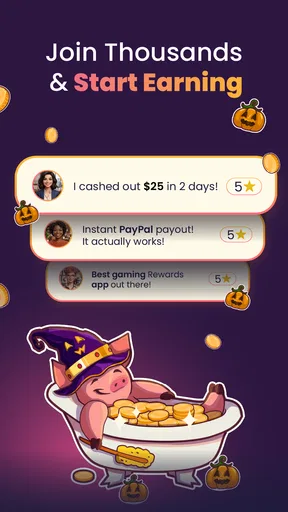
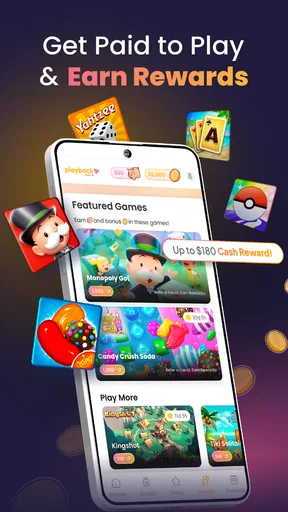
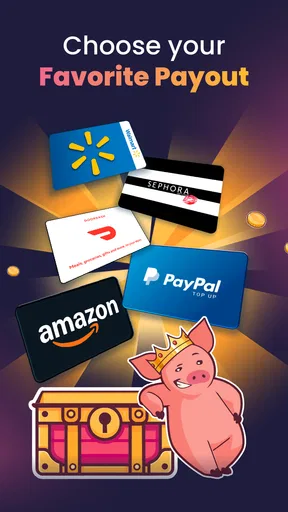
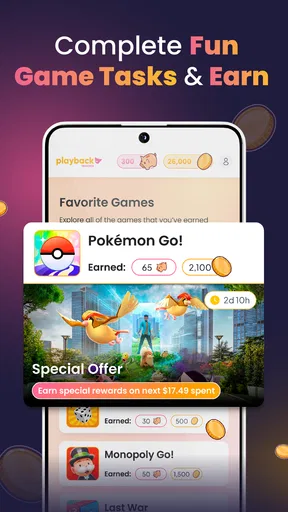
 Analysis by AppCompare
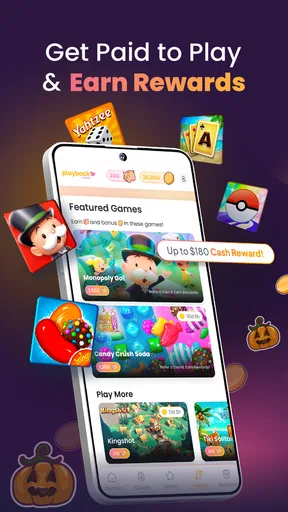
I approached Playback as an entertainment app with a simple promise: spend time playing mobile games and receive rewards that can be used as cash back or gift cards. That idea is appealing because it fits something many people already do on their phones. Instead of opening a separate rewards website, the app is designed to sit alongside your gaming routine and make that time feel a little more useful.
My overall impression is positive, but I would not treat it as a replacement for income. The experience makes more sense as a small-reward companion for casual players. You still need patience, a compatible device, and realistic expectations about how quickly rewards build. The app is free, developed by Adwake, and listed for mature users aged 17 and over. It has reached more than 500 thousand installs, which gives it a meaningful user base without making it feel like an unavoidable mainstream platform.
The most important question is not whether the concept sounds good. It is whether the app remains comfortable during ordinary use: opening it, moving between games, checking progress, and eventually choosing a reward. That is where my review focuses. I looked at the likely speed of the experience, what happens during heavier use, how dependable the reward journey feels, and whether older Android devices are likely to be a sensible fit.
How Playback feels during everyday use
I find Playback easiest to judge by treating it as a small part of a normal gaming routine, not as a reason to reorganize my day. A brief trial can show whether switching between a game and the rewards app feels comfortable on your phone, and whether the activity remains enjoyable. That everyday rhythm also makes the next question more useful: what choices can I actually check and manage?
Quick access matters more than flashy presentation
For an app built around repeated short sessions, speed is part of the value. If I have to wait through a complicated process every time I want to start playing, the reward idea loses some of its appeal. Playback works best when I treat it as a lightweight routine: open the app, choose an available game, play for a while, and return later to review progress. That approach feels more natural than expecting a single long session to produce a meaningful payout.
The current version is 1.0.77, and the app supports Android 7.0 and later. Those details make it accessible to a broad range of phones, although compatibility alone does not guarantee an equally smooth experience on every model. A recent phone with spare storage and a stable connection should be the safer choice for regular use. On an older handset, the main concern is not necessarily the app itself, but the combined load of the app, the selected game, background services, and the operating system.
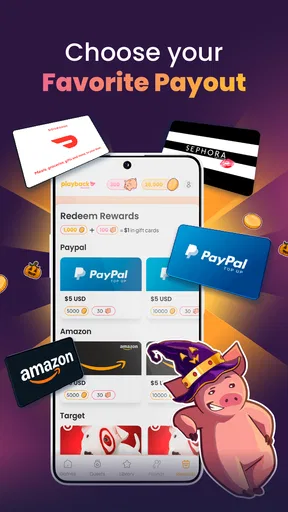
I also like that the concept is easy to understand without learning a complicated points economy. The practical goal is clear: play, accumulate eligible value, and work toward options involving PayPal, Amazon, or Visa. That clarity helps the app feel faster because I am not spending the first session trying to decode several types of virtual currency.
Worth Reading Before You Choose

EA SPORTS FC Mobile 26 Is a Bigger Football Game, but It Takes Time

Flipboard Shows What News Apps Must Do Beyond the Feed

Switching to Android Auto Means Rethinking Your Driving Routine

Google Calendar Makes a Crowded Week Easier to Manage

Ludo King Makes the Most of the Minutes Between Plans

Baby Panda World Brings Quick Play to Modern Phones, but Its Game Library Feels Busy
What can slow the experience down
The app should not be judged only by how quickly its own screens appear. The games connected to the reward experience will naturally have different loading times, graphics demands, and network behavior. A simple casual title may start quickly, while a larger game can take longer to install, update, or become playable. That variation is important: a slow moment may come from the game rather than from Playback.
There is also a practical trade-off between checking progress constantly and letting a session run. Repeatedly switching back to the rewards app can interrupt play and may make the whole process feel less efficient. I would recommend choosing a game, playing in a focused block, and checking the account afterward rather than opening the reward screen after every small milestone.
The fastest workflow is usually the least fussy one: choose deliberately, play consistently, and check rewards at sensible intervals. That is a small habit, but it prevents the app from becoming another notification-driven distraction.
Performance during heavier sessions
Heavy use is where expectations need to stay grounded. Running a demanding game while keeping another rewards app involved can place more pressure on memory, battery, and thermal performance than playing the game alone. I would be especially careful on an older phone with limited free space or a battery that already drains quickly. Even if Playback remains responsive, the game being played may become the part that determines the overall experience.
For that reason, I would avoid starting a long session immediately after opening several other demanding apps. Closing unnecessary background apps can reduce friction, and keeping the phone reasonably charged is sensible if the chosen game requires sustained screen time. These are not special tricks for earning more; they simply make the routine less irritating and reduce the chance of being interrupted halfway through.
Another useful distinction is between short sessions and extended grinding. Short sessions are easier to fit into a commute, a waiting room, or a break. Extended sessions may appear more productive, but they also expose every weakness in the setup: heat, battery loss, network drops, and fatigue. If the reward rate does not feel worthwhile after a reasonable trial, playing longer will not automatically make the arrangement better for you.
Stability and recovering from interruptions
Reliability matters because reward tracking depends on continuity. A user wants confidence that time spent playing is being recognized and that a temporary interruption will not turn the session into wasted effort. I would approach Playback with the same caution I use for any app that connects activity with rewards: allow screens to finish loading, avoid force-closing everything in the middle of a transition, and give the app time to refresh when returning to it.
Mobile use is rarely perfect. Calls arrive, Wi-Fi changes to mobile data, the operating system pauses background activity, and a game may close unexpectedly. The sensible recovery habit is to reopen the app calmly, check whether the latest progress has appeared, and avoid assuming that an immediate screen refresh means something has been lost. If a session seems incomplete, recording the approximate time and the action you were taking can help you describe the problem clearly if support is needed.
I would not recommend relying on a single long session before understanding how the app behaves on your phone. A better test is to use it in several short sessions across different conditions: once on Wi-Fi, once on mobile data if available, and once after switching between the game and Playback. This gives you a much more useful impression of reliability than one uninterrupted trial.
Reward choices and the practical side of cash back
The ability to work toward PayPal, Amazon, and Visa-related rewards gives the app more flexibility than a system limited to one retailer. That matters because people value rewards differently. Someone who already uses PayPal may prefer a digital cash route, while another person may find an Amazon option more convenient. A Visa choice can sound broadly useful, but the real value depends on how the redemption process fits your needs and whether you are comfortable waiting until you have enough eligible balance.
I would keep the reward destination in mind before investing much time. If you only want one specific option, check that the available choices make sense for you rather than assuming every route will be equally attractive. The point is not to chase the largest-looking possibility; it is to choose the outcome you can actually use.
This is also where Playback differs from ordinary mobile games. A normal game can justify time through entertainment alone, while this app adds a second objective. That can make a familiar genre feel more purposeful, but it can also make the player focus too much on progress instead of enjoyment. My advice is to select games you would tolerate or enjoy anyway. If the game feels like unpleasant work, a small reward may not compensate for the time spent.
Who will get the most from it?
Playback is a good fit for casual Android players who already enjoy trying different games and would like a reward layer without paying an entry fee. It may also suit someone who has small pockets of free time and prefers flexible entertainment rather than a structured subscription. Because the app is free, there is no purchase decision at the starting line, which makes experimenting relatively straightforward.
It is less suitable for anyone expecting guaranteed earnings, instant cash, or a predictable hourly return. It is also a poor match for people who dislike installing games, switching between apps, or keeping track of progress. Players who are highly competitive may find the reward objective distracting, especially if it encourages them to continue with a game they no longer enjoy.
The mature age rating should be taken seriously. I would not present it as a children’s rewards app, and parents should consider whether it is appropriate for the specific teenager using the device. The label also reinforces the need to read the app’s current terms and redemption details directly before committing substantial time.
Device limits and sensible setup choices
Android 7.0 support means Playback can run on older operating systems, but older compatibility should not be confused with ideal performance. A phone that technically meets the minimum may still struggle if storage is nearly full, memory is limited, or the battery is worn. The best setup is a device with enough free space for the games you want to try and a connection that does not regularly drop.
I would avoid using a work phone or a device with strict storage limits if you plan to test several games. The app may be free, but the surrounding games can still consume space and data. Anyone using a limited mobile plan should pay attention to downloads and updates, particularly when away from Wi-Fi. That is one of the less obvious costs of a rewards-based gaming routine: the reward has to be worth the data, battery, and attention it uses.
For smoother sessions, I would keep the operating system updated when the phone supports it, leave some storage available, and avoid playing while the handset is already hot. These steps will not change the earning structure, but they can improve the perceived stability of the whole setup. They also make it easier to tell whether a problem comes from the phone, the game, or the reward app.
How it compares with ordinary alternatives
Compared with playing mobile games without a rewards layer, Playback offers a clear extra incentive. The trade-off is that your choice of game may become less personal. With a normal game library, I can select whatever I want and stop whenever I want. With a reward app, I am more likely to consider whether a particular title contributes to my balance, which can make the experience feel less spontaneous.
Compared with survey apps or cashback apps tied to shopping, Playback is better suited to people who prefer entertainment over answering questions or changing purchasing habits. Its value comes from time spent playing rather than from completing forms or buying products. On the other hand, someone who wants a more direct route to a reward may prefer an activity with a clearly defined task and outcome.
It also differs from a standard game subscription. A subscription usually sells access to content, while Playback frames play as a path toward rewards. That makes the app interesting for experimenting with games, but it does not guarantee that every available title will match your taste. If your priority is a carefully curated, uninterrupted gaming experience, a conventional game platform is probably the better choice.
Small habits that make the trial more useful
My first tip is to run a short trial before making Playback part of your daily routine. Pick one game that you genuinely find tolerable, note when you start, and check how the progress feels after several sessions. This prevents the common mistake of spending a large amount of time before deciding whether the reward is meaningful to you.
My second tip is to separate entertainment time from reward-chasing time. If you are enjoying the game, keep playing because you enjoy it. If you are only continuing because you feel committed to a target, pause and reconsider. This simple boundary protects the app from turning leisure into a chore.
My third tip is to check the redemption route early enough to avoid surprises. PayPal, Amazon, and Visa appeal to different users, so think about which one would actually be useful in your household. A reward that is technically available but inconvenient to use is not as valuable as it first appears.
Finally, keep an eye on the phone itself. If sessions cause noticeable heat, rapid battery loss, or frequent reloads, shorten them rather than pushing through. The purpose of a free entertainment app is not to wear out your device or consume more data than the reward justifies.
My verdict after weighing the trade-offs
Playback is an appealing idea executed for a very specific kind of user: someone who already likes mobile games and is happy to exchange some attention for the possibility of cash back or gift cards. The free entry point, familiar reward destinations, and straightforward entertainment focus make it easy to understand. Its rating of 4.3 from around 3.4 thousand ratings suggests that many users find the concept worthwhile, while the number of reviews—roughly 700—shows there is enough public feedback to take the app seriously without treating every experience as identical.
In performance terms, I would call it practical rather than demanding by design, with the connected games likely to have the greater effect on speed, heat, storage, and battery. The app should be most comfortable on a reasonably maintained device, used in focused sessions with a stable connection. Recovery from interruptions deserves attention, so I would verify progress periodically instead of assuming every background transition is perfect.
My recommendation is to try Playback if you want rewards attached to gaming, not if you need dependable income. Give it a limited test, choose games you can genuinely enjoy, and judge the result by the value of the reward compared with your time, data, battery, and patience. With that mindset, it can be a pleasant extra layer for casual gaming. Without it, the promise of getting paid to play may encourage more grinding than the final reward is worth.
Adwake has made the app available as a free entertainment option, and the current release is a reasonable starting point for curious Android users. I would keep expectations modest, use the app deliberately, and stop if the routine begins to feel like work. For the right player, that balance is what makes the experience worthwhile.
Pros
- Simple way to discover new mobile games and earn rewards.
- Supports passive earning while playing games you already enjoy.
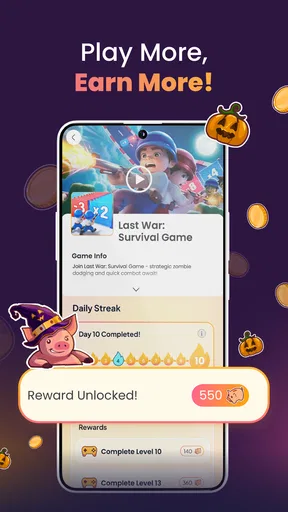
- Progress and reward goals are clearly displayed in the app.
- Offers a variety of game genres instead of just one type.
- Useful for casual players seeking small extra incentives.
Cons
- Rewards may require significant playtime to reach the payout threshold.
- Earning rates can vary between games and promotional offers.
- Availability of games and rewards may depend on your country.
- Some offers may track gameplay activity and require permissions.
- Payouts are unlikely to replace regular income or provide large earnings.
FAQs for Playback: Get Paid to Play
What is Playback: Get Paid to Play?
Playback: Get Paid to Play is a rewards app built around mobile gaming. After installing it, users can discover supported games, play them through the app’s tracking system, and collect points or other rewards based on eligible activity. The exact earning method, available games, and reward options may vary by country, device, promotional campaign, and the terms shown inside the application.
How do you earn rewards with Playback?
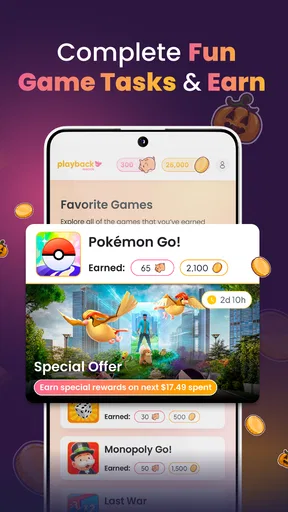
To earn rewards, you generally need to select an eligible game or offer through Playback and then complete the required activity, such as reaching a playtime target, unlocking a level, or meeting another campaign condition. It is important to read each offer carefully before starting, because progress may only count when the game is installed through Playback and tracking permissions are enabled.
Can Playback: Get Paid to Play be trusted, and is it safe to use?
Playback can be used as a legitimate rewards platform, but users should still review its privacy policy, permissions, and terms before registering. The app may need information about your device, activity, or installed games to verify rewards. Avoid providing unnecessary sensitive information, never pay money to unlock ordinary rewards, and download the application only from an official store or verified source.
How can rewards be redeemed, and how long does payment take?
Reward availability depends on your location, account status, and the options currently offered in Playback. Depending on the app’s active programs, redemption may involve gift cards, digital credits, cash-equivalent services, or other rewards. Before completing an offer, check the minimum withdrawal requirement, verification rules, expiration dates, and estimated processing time, since rewards are not always delivered immediately.
Why might my gameplay or rewards not be tracked correctly?
Tracking can fail if the game was installed before you opened it through Playback, if required permissions were denied, or if you use a VPN, ad blocker, cloned app, or unsupported device. Switching devices or reinstalling a game may also interrupt attribution. If progress is missing, keep screenshots and offer details, then contact Playback support promptly using the in-app help process.


